If you’re planning a new website or a long-overdue redesign, you may be considering using AI. It makes sense. AI is becoming increasingly popular among businesses for marketing. Especially as it relates to budget and time. However, many companies aren’t familiar with the technology and are likely asking, “How does AI web design work?” and whether they can do it themselves.
In this article, we’ll explain how AI web design works, what to expect, and what to consider.
How Does AI Web Design Work?
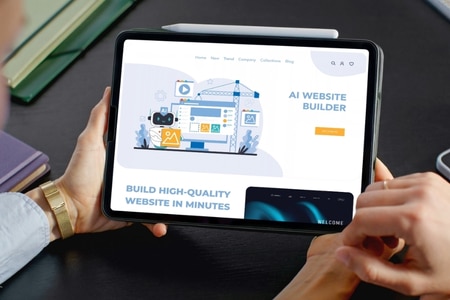
Essentially, AI web design takes a short description you provide of your business and turns it into a working website draft. Depending on the tool selected, you’ll have to answer some questions about your business, such as your industry, website, goals, style/branding, or you may just provide a written prompt. The tool will then draw on patterns learned from millions of existing websites to generate a layout, color palette, page structure, and basic starter copy.
From there, you have to work on refining what it’s provided. Most platforms let you make changes via a chat with AI or by dragging and dropping elements into an editor. How far you can take it depends on the type of tool.
- All-in-one AI website builders handle everything from layout to hosting inside a single platform.
- Design tools like Figma now include AI features that help designers generate layouts faster.
- Newer prompt-to-code tools go a step further by writing the actual code behind the site.
The tools may work differently, but the basic process is similar. AI creates a starting point, and the site is then refined from there.
In most cases, AI produces the first draft and speeds up repetitive tasks, while a person still makes the calls that shape site performance, including the behind-the-scenes choices that determine whether AI-built websites are SEO-friendly.
With AI-assisted web design, the first version of a page is rarely the finished version. A business may get a usable starting point, but someone still has to go through the site and make it fit. One page might need different content. Another might need a different layout. A form may need to connect to a CRM, or a feature may require custom development that the AI builder can’t provide.
Some websites won’t need much work after the initial design. Others will. Once custom features, integrations, accessibility, or SEO come into the picture, there can be a lot to address before the site is ready to launch.
What to Expect
The big pitch with an AI web design tool is speed. And it can deliver. But it’s important to understand that just because you get a first draft of a seemingly nice-looking website, that doesn’t mean it’s done.
Here’s what the AI website design process looks like:
- A fast start, then a slower middle. Generating a first draft takes minutes. Getting that draft to a place you’d proudly send to customers will take longer. You’re going to need to swap in photos, rewrite copy that sounds like your business, connect your forms, and fix pages that may not have come out quite right.
- More hands-on work. There’s a lot that AI doesn’t know about you, like your service area, pricing, or why you’re better than your competitors. Those are just some of the gaps you’ll have to fill in, along with editing what it provides, to get the website that you want.
- Quality that varies. Sometimes you hit the jackpot and what you get looks great quickly. However, there are going to be times when what you get feels generic or comes out with odd spacing or maybe layout issues, especially on mobile devices. The outcome can depend on the AI tool you use, how you prompt it, and how complex your business is.
- A strong chance you’ll need a second set of eyes. Even the pros double-check AI’s work. Stack Overflow’s 2025 Developer Survey found that 84% of developers use or plan to use AI tools, yet 46% don’t trust the accuracy of what those tools produce. If the people who write code for a living review AI output before it goes live, it’s smart to plan for a professional pass on your website too.
Where AI Web Design Works Well
We’re not anti-AI. It’s a useful tool, and it saves real time and money in a few areas. If you’re using AI web design today, these are the parts worth leaning into.
Layout and Design
AI website tools can be useful when you’re still figuring out what you want your website to look like. Give the tool some direction, and it can put together a starting point with familiar elements such as a header, hero section, service information, testimonials, and a footer.
That makes it easier to experiment before settling on a direction. You can generate a few different versions, compare them, and pull ideas from each one. You don’t necessarily need to use the design exactly as it was generated. Sometimes seeing a few options is enough to figure out which layouts, colors, or visual elements fit the business.
Content Generation
Getting started with website copy can take longer than expected, especially when you’re trying to describe services or explain what makes a business different. AI can give you something to work with instead of leaving you with a blank page. It can put together an initial headline, service description, FAQ, or call to action that you can revise.
However, don’t treat that first version as finished copy. Treat it as a first draft. AI doesn’t know the business as well as you do, and the wording can get generic if you leave it untouched. Review the details, remove anything that doesn’t sound like your company, and make changes where the copy needs more personality or specificity.
Speed to Launch
Sometimes, getting something online matters more than having every detail figured out. An event page, temporary landing page, or simple website for a new business is a good place to use AI. You can put together the basic pages without starting the project entirely from scratch.
That doesn’t mean every website should be built this way. The more a site needs to do, the more likely you’ll need additional design, development, testing, or optimization before launch.
Where AI Web Design Falls Short
The gaps in AI web design usually aren’t obvious on launch day. They show up a few months in, when traffic is flat, a feature won’t cooperate, or the site isn’t pulling its weight. These are the three areas where we see it most often.
Technical SEO
A website can look great and still be hard for search engines to understand. Title tags, meta descriptions, heading structure, schema markup, internal links, redirects, and page speed all need the proper attention and setup. AI tools handle some of this automatically, but rarely all of it, and rarely with your keywords and competitors in mind.
There’s also a behind-the-scenes issue. Many AI-generated sites rely heavily on JavaScript to load content in the browser. Google’s own JavaScript SEO guidance still recommends server-side or pre-rendering, partly because it’s faster and partly because not every bot can run JavaScript. That can include crawlers used by AI search tools, which means content that only appears after scripts load may never make it into AI-generated answers.
Custom Functionality
Adding a contact form or image gallery to a website is one thing. Building a booking system that works with a calendar is another. The same goes for CRM integrations, quote calculators, customer portals, and other features built around a company’s particular workflow. These aren’t necessarily things an AI tool can simply generate and leave finished. They usually need development, testing, and maintenance.
AI can write code for these, but “almost right” is a common result. In that same Stack Overflow survey, 66% of developers named AI solutions that are almost right, but not quite, as their top frustration. On a live business website, almost right can mean lost leads. Catching those gaps before they cost you is a big part of what developers can do with AI web design.
Brand Differentiation
AI learns from what already exists, so its output naturally drifts toward the average. That’s great for usability and not so great for standing out. If your competitors are using the same tools, there’s a chance your websites will start to look and sound alike.
Your brand is the story behind why customers choose you. AI can support positioning, messaging, original photography, and design choices that reflect your personality, but it can’t come up with them on its own.
Can I Design My Own Website Using AI?
Yes, you can. Whether you should depends on what you need your website to do.
Going DIY with AI design keeps upfront costs low, gets you online quickly, and gives you full control over every change. For a new business testing the waters or a simple informational site, that can be enough.
Building the site yourself can take more time than expected. You may also face a learning curve with the platform and problems to troubleshoot after the site goes live. SEO and accessibility are two areas that can easily get missed in the process. The real cost of DIY AI website design isn’t limited to the builder’s price. You also have to account for the time you’re putting into the site. Later on, you could run into another problem if the business needs something the platform doesn’t support.
AI vs. Web Design Team: Which Is Better?
If you’re trying to decide whether to build your own website or work with a website design and development agency, you need to consider what your website needs to accomplish.
| AI on Its Own | AI Plus a Web Design Team | |
| Upfront cost | Low, often a monthly subscription | Higher, based on project scope |
| First draft | Minutes | Days to weeks |
| Your time investment | High, since you do the work | Low, since the team handles it |
| Technical SEO | Basic and often incomplete | Planned around your keywords and market |
| Custom features | Limited to what the tool supports | Built to fit how your business runs |
| Brand fit | Template-driven | Tailored to your positioning |
| Ongoing support | You troubleshoot on your own | A team you can call |
If you have a limited budget, need a simple website, and have time to manage it, AI can make a lot of sense. However, if your website is expected to generate leads, support sales, and grow with your business, working with a development agency is a great option.
If you’re having trouble deciding, here’s the good news. It doesn’t have to be either/or. Many business owners have reached out to us with a website they’ve started with an AI builder, asking for our help making their vision a reality. What they’ve provided has helped our team build websites that not only look great but also support their business goals.
Want to Make Your Website Vision a Reality with AI?
So, how does AI web design work? It’s a fast, efficient way to get a first draft, and a handy tool for layouts, starter copy, and simple launches. Where it struggles is everything that separates a good-looking site from one that actually grows your business, including technical SEO, custom functionality, and a brand that stands apart.
If you’ve taken AI as far as it can go on its own, that’s a great time to bring in a team. At Oyova, our web design and development team works alongside our marketers to turn early ideas and AI drafts into websites built to rank, convert, and scale. Get in touch, and we’ll review what you’ve built, highlight what’s working, and show you what it will take to get where you want to go.
Related Posts

How to Make a Website With AI (And What You’re Really Getting Into)
Learning how to make a website with AI is easier than ever. You can describe your business to...
Read More
AI Website Redesign: 10 Things to Know Before You Get Started
An AI tool can hand you a fresh homepage in the time it takes to finish a coffee....
Read More
ChatGPT Ads: The Future of AI Advertising
ChatGPT Ads can put businesses in front of people who are already using AI to compare options, look...
Read MoreOur Awards