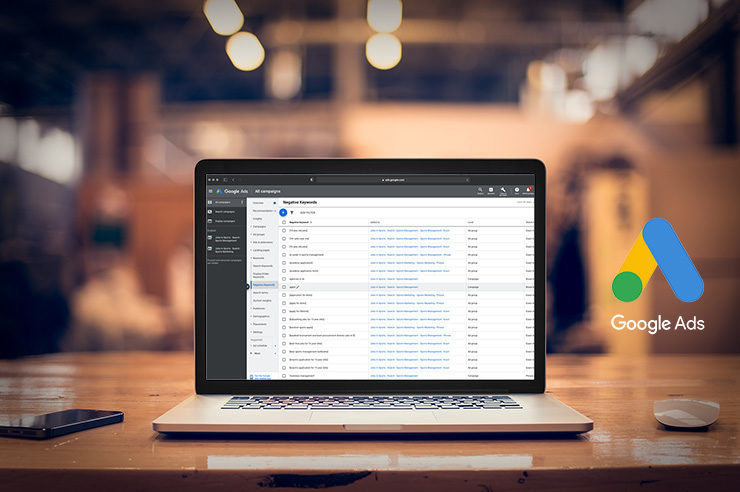
Negative keywords are one of the fastest ways to stop wasted ad spend.
If you’ve ever opened a Search Terms report and thought, “Why are we paying for that click?”, negative keywords are the answer. They help you block irrelevant searches, keep your ads aligned to buyer intent, and improve performance metrics that matter (conversion rate, CPA, ROAS).
In this guide, we’ll cover what negative keywords are, how they work (including match types), where to add them, and how to build a repeatable process for finding new negatives, especially now that ad platforms rely more heavily on automation and broad matching.
What Are Negative Keywords?
Negative keywords are terms you add to your PPC campaigns to prevent your ads from showing when someone searches for those words (or phrases). In simple terms: they help you say, “We don’t want traffic from searches like this.”
Example: If you sell enterprise CRM software, you might add negatives like “free,” “template,” “jobs,” or “definition” to reduce unqualified clicks.
Negative keywords are used most commonly in Google Ads and Microsoft Advertising, but the concept applies anywhere search intent drives spend.
Why Are Negative Keywords Important?
Negative keywords protect your budget and make your targeting sharper. Here’s what they do in practice:
1) Reduce wasted spend on irrelevant clicks
If your ads show for the wrong searches, your budget gets eaten up by people who were never going to convert.
2) Improve conversion rate and lead quality
Blocking low-intent or mismatched searches means the traffic that does come through is more likely to take action.
3) Support smarter automation
Today’s platforms increasingly use intent-based matching (meaning searches don’t have to exactly match your keyword). Negative keywords help you keep that automation from drifting into junk traffic.
4) Protect brand suitability and messaging
Negatives are also how you avoid appearing for searches that conflict with your positioning.
Negative Keyword Match Types
Negative keywords have match types too, but they don’t behave like positive keywords, which is where many accounts go wrong. Google explicitly notes that negative match types work differently, and you may need to add variants you want blocked.
Negative Broad Match
Blocks searches containing all your negative terms, in any order.
Example: Negative broad = free trial
May block: “trial free,” “free crm trial,” etc.
Negative Phrase Match
Block searches containing the exact phrase in the same word order.
Example: Negative phrase = “free trial”
Blocks: “crm free trial”
May not block: “trial for free crm” (word order differs)
Negative Exact Match
Blocks only searches that match that term as defined by exact negative behavior.
Example: Negative exact = [free trial]
Blocks: “free trial”
May not block: “free trial crm”
Practical tip: If you’re trying to block a concept (not just one exact query), phrase negatives are often the most useful starting point.
Where to Add Negative Keywords So You Don’t Break Performance
Account-Level Negatives
Use for terms you never want across the account, e.g., “jobs,” “salary,” “how to become.”
Campaign-Level Negatives
Use when a term is irrelevant to an entire campaign, e.g., your “Enterprise” campaign excludes “small business”.
Ad Group-Level Negatives
Use for fine control when multiple ad groups share similar themes, and you need clean separation.
Shared Negative Keyword Lists
This is where scale comes from. Build reusable lists you can apply across campaigns like “job seekers,” “education-only,” “DIY,” and “free.”
Microsoft Advertising supports shared negative keyword lists with account limits, e.g., multiple lists per account that can be associated with campaigns.
How to Find Negative Keywords
1) Search Terms Report – Weekly Habit
This is the most reliable source. Look for:
- “Free,” “cheap,” “DIY,” “template,” “definition”
- competitor names (if you don’t want conquesting)
- research intent, e.g., “what is,” “examples,” “how to become”
2) Your Sales Team’s “Bad Leads” List
Ask: “What phrases show up in calls/forms that never convert?”
3) Use PPC + SEO Data Together
If you’re already ranking organically for informational queries, you may want to exclude those terms from paid unless you’re intentionally running TOFU campaigns.
4) Build “Intent Buckets”
Create lists by intent:
- Job seekers: jobs, careers, salary, resume
- Learning-only: definition, meaning, example, pdf, template
- Freebie hunters: free, free trial, no cost, cheap
- Support-only: customer service, login, phone number
Negative Keywords in Performance Max and Automated Campaigns
Automation-heavy campaigns can make negatives feel “harder,” but the controls have improved.
Google now supports adding negative keywords to Performance Max (applicable to Search and Shopping inventory).
Google has also discussed rolling out campaign-level negative keywords as a control to help steer AI-driven campaigns. And there are published references to PMax negative keyword limits increasing significantly up to 10,000.
What this means for businesses: If you’re running PMax, you should still maintain negative keyword hygiene, especially for:
- brand suitability
- irrelevant product/service adjacency
- low-intent searches that waste spend
Common Negative Keyword Mistakes That Cost Money
Blocking high-intent terms by accident
Overly broad negatives can prevent good traffic. Example: negating “pricing” when your best leads search “pricing.”
Using exact negatives when you need phrase negatives
Exact negatives can be too narrow to stop wasted spend.
Never updating negatives after match behavior changes
Match behavior evolves and often becomes looser. If your account hasn’t had a negative keyword review in months, it’s overdue.
Copy-pasting the same negatives into every campaign
Some campaigns need a different intent. A top-of-funnel campaign shouldn’t use the same negatives as a bottom-of-funnel conversion campaign.
Quick Checklist: Negative Keyword Setup
- Add an account-level “always exclude” list
- Create shared lists:
- Job seekers
- Learning-only
- Freebie hunters
- Support terms
- Review search terms weekly (biweekly at minimum)
- Track outcomes:
- fewer irrelevant clicks
- improved CVR
- lower CPA
Want a Negative Keyword System That Protects Your Budget?
Negative keywords aren’t a one-time setup; they’re an ongoing process that keeps paid search efficient as matching and automation evolve. Oyova audits search term waste, builds reusable negative keyword lists, and ties PPC changes back to measurable outcomes.
Talk to Oyova about Paid Search Management today.
FAQs
Weekly is ideal for active accounts. Biweekly/monthly can work if the spend is low and performance is stable.
Yes, but how aggressive you are depends on intent. Conversion campaigns should be stricter; awareness campaigns should be more flexible.
They can if they’re too broad and block high-intent searches. That’s why you validate changes using search terms + conversion data.
No, negative match behavior is different and may require adding variants you want excluded.
Related Posts

ChatGPT Ads: The Future of AI Advertising
ChatGPT Ads can put businesses in front of people who are already using AI to compare options, look...
Read More
Google Local Services Ads Are Moving to Performance Max: What Your Business Needs to Know
Google Local Services Ads are changing in 2026. Google is moving these campaigns from the separate Local Services...
Read More
How Much Does Google Ads Cost in 2026?
If you’re trying to figure out how much does Google Ads cost, there isn’t one price that applies...
Read MoreOur Awards