Make Your Digital Experience Accessible
Help more people use your digital experiences with accessibility assessments and actionable recommendations that identify barriers, guide improvements, and support alignment with WCAG accessibility standards.

Identify Barriers.
Build Better Experiences.
Accessibility Assessments
Evaluate websites and other in-scope digital experiences to identify potential accessibility barriers. Combine automated testing with appropriate manual review to develop a clearer picture of where improvements are needed.
WCAG Standards Review
Assess applicable digital content against relevant Web Content Accessibility Guidelines (WCAG) success criteria. Document findings, affected components, and opportunities to improve alignment with the selected standard and conformance level.
Manual & Assistive Technology Testing
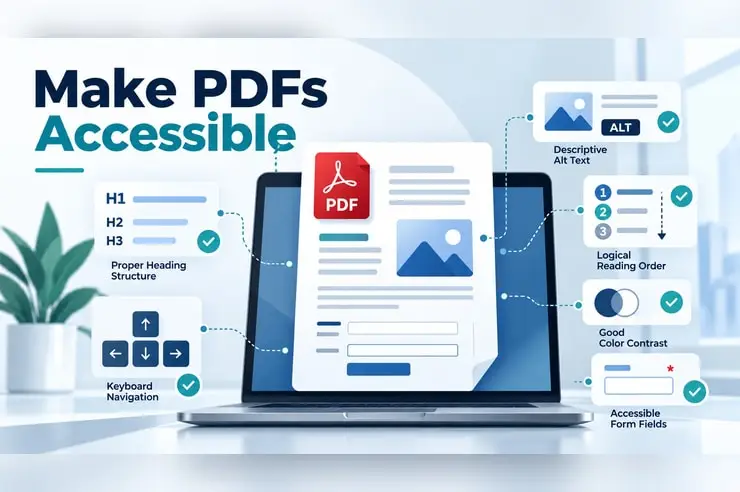
Review important interactions beyond automated checks, including keyboard navigation, focus order, form behavior, headings, labels, and selected screen-reader experiences, according to the agreed testing scope.
Remediation Recommendations
Translate findings into clear, prioritized recommendations. Explain the issue, its impact on users, and the technical or content changes that can help address it, giving development and content teams a practical implementation roadmap.
Website, Portal & Document Accessibility
Review the digital properties included in the engagement, which may include public websites, online portals, forms, and digital documents. Identify accessibility concerns across the relevant user journeys and content formats.
Technical Guidance & Retesting
Help teams understand remediation priorities and validate fixes through agreed follow-up testing. Support a repeatable accessibility workflow so improvements can be incorporated into ongoing design, development, and content processes.
Accessibility Improvements With Real Impact
Accessibility Across Digital Experiences
We help make the websites, portals, and digital content your customers rely on easier to navigate and use, with accessibility reviews tailored to the needs of your organization.
- Home Services
- Contractors
- Professional Services
- Legal
- E-commerce
- Manufacturing
- Healthcare
5 out of 5 starsOyova provided documentation confirming compliance. We were happy enough with the work to sign on for their quarterly ADA monitoring and advisory service so we stay compliant going forward. I’d recommend Oyova to any organization that needs a thorough, well-organized accessibility partner.
ADA & WCAG questions, answered.
ADA website accessibility refers to making websites and digital content usable by people with disabilities, in line with the goals of the Americans with Disabilities Act. This includes people who use screen readers, keyboard navigation, captions, or other assistive technologies.
The Web Content Accessibility Guidelines (WCAG) are internationally recognized standards published by the World Wide Web Consortium (W3C). They define testable success criteria for making digital content more perceivable, operable, understandable, and robust for people with disabilities.
The ADA is a U.S. civil rights law that prohibits discrimination against people with disabilities. WCAG is a set of technical guidelines. WCAG is commonly used as the benchmark for evaluating whether digital content is accessible.
WCAG has three conformance levels: A, AA, and AAA. Level AA is the most commonly referenced target for websites and digital content. The right target for your organization may depend on your industry and any legal or contractual requirements.
An accessibility audit typically combines automated scans with manual review, including keyboard navigation, focus order, forms, headings, labels, and screen-reader testing. Findings are documented with their user impact and prioritized recommendations for remediation.
No. Automated tools are useful for surfacing common issues, but they can only detect a portion of potential accessibility barriers. Manual review and assistive technology testing are needed to evaluate how real users experience your website.
Yes. Our audits include prioritized remediation recommendations, and we can validate fixes through follow-up testing. Depending on your project, our design and development teams may also be able to help implement improvements.
Timelines depend on the number of pages, templates, user journeys, and documents in scope, as well as the level of manual testing required. We define the timeline when scoping your assessment.
Costs depend on the size and complexity of the digital properties being reviewed, the testing methods included, and whether documents or portals are in scope. We scope each assessment around your needs.
No. Accessibility overlays and widgets cannot guarantee compliance and often fail to address underlying issues in a website’s code, content, and design. Lasting accessibility improvements come from fixing barriers at the source.
Additional services
More on digital accessibility

Got a project?
Let’s scope it.
Whether you’re starting your accessibility efforts or need help validating improvements, tell us about your digital properties and we’ll map the best path forward.