A quick install promising instant compliance is an easy sell, and it’s why so many website owners reach for an ADA compliance widget the moment the topic comes up. Lawsuits over inaccessible websites keep climbing, and a plug-and-play tool feels like the fastest way to make the risk go away.
But does an ADA compliance widget actually make a website ADA compliant, or does it just look that way? In this article, we’ll examine what these widgets can and can’t do, and evaluate whether they’re a reliable solution for digital accessibility. If you’re still weighing an overlay against a deeper fix, our breakdown of accessibility widgets compared to real compliance walks through the tradeoffs in more detail.
What Is an ADA Compliance Widget?
An ADA compliance widget goes by a few other names too: accessibility overlay, ADA widget, web accessibility widget. Whatever it’s called, it’s a small piece of code added to a website that layers on accessibility features without touching the site’s underlying code, things like a text-to-speech reader, keyboard-only navigation, or an option to boost color contrast.
If you are interested in using an ADA compliance widget, there are free and paid versions to choose from.
Free ADA Compliance Widgets
Several free ADA compliance widgets are available and offer basic accessibility adjustments suited to small websites.
Here are some examples of free ADA website widgets:
- UserWay: A widely used widget with a free plan for smaller sites and simple installation.
- AccessiBe: An AI-powered widget offering free and paid tiers based on customization needs.
- AudioEye: Pairs an automated widget with optional human review at higher tiers.
A free ADA compliance widget can be a reasonable way to test the waters, but the free tier typically drops features like customizable alt text or advanced keyboard navigation that paid plans include.
Paid ADA Compliance Widgets
Paid ADA compliance widgets offer more advanced features and customization, including:
- EqualWeb: Combines an automated widget with an optional hybrid plan that adds manual auditing and remediation support.
- accessiBe Pro: accessiBe’s higher tier, with expanded customization beyond the free widget.
Before comparing tools by price alone, it helps to know what website accessibility work typically costs beyond the widget itself, since it’s rarely the only expense involved in getting and staying compliant.
Do ADA Accessibility Widgets Make Your Website ADA-Compliant?
 ADA accessibility widgets are a step toward making websites ADA-compliant, but they aren’t enough for full compliance. Widgets address specific aspects of accessibility but do not meet all requirements under the Americans with Disabilities Act (ADA) and the Web Content Accessibility Guidelines (WCAG).
In April 2024, the DOJ set a hard technical bar for the first time: a Title II final rule requiring state and local government websites and apps to meet WCAG 2.1 Level AA. That rule technically applies to government sites, not private businesses, but courts have already started citing the same WCAG 2.1 AA standard when they rule on private-sector ADA claims. And it’s a long list: how pages are structured in code, whether forms behave properly, whether videos are captioned. A widget doesn’t touch most of it.
Where accessibility widgets typically fall short:
- Alt text: Widgets can add alternative text for images, but it’s often boilerplate, like labeling a product photo “image” instead of describing what’s actually in it. That doesn’t tell a screen reader user anything useful.
- Assistive tech compatibility: Some widgets actually fight with the screen readers and magnifiers a user already has running, so turning the widget on can make a page harder to use, not easier.
- Narrow focus: Most widgets are built around visual impairments and don’t address auditory or motor disabilities, so the “fix” excludes the users it didn’t anticipate.
True accessibility comes from the code, not an add-on. Website designers and developers need to build to WCAG guidelines directly and validate the result with user testing involving people who have disabilities. Involving users in the process is what turns compliance on paper into a site people can actually use.
The Risks of Relying Solely on ADA Website Widgets
It’s easy to see the appeal of an ADA compliance widget. One script tag, and suddenly a site has font size controls, contrast adjustments, and a text-to-speech option. The catch is that none of that touches the code underneath, so a business can end up believing it’s compliant when it isn’t.
Here’s where that risk shows up:
- The underlying code doesn’t change. A widget can add a font-size slider without ever touching the page’s HTML, so if a form field is missing a label or an image has no alt text, that’s still true after the widget goes live.
- Lawsuits keep happening anyway. Companies running popular widgets have still been sued under the ADA, because the law looks at whether someone can actually use the site, not whether a widget is installed.
- That’s the gap that creates risk. If the underlying site stays inaccessible, it can still expose the business to legal action, widget or not.
The businesses that stay out of legal trouble build accessibility into the site itself. Then they check that work with real audits and real users, and check it again as the standards change.
Legal Risks & Compliance Issues with an ADA Widget
Website accessibility is a legal obligation for entities covered by applicable disability laws, not merely a best practice. And the number of lawsuits over inaccessible sites keeps growing. Recent cases have produced high-profile settlements and judgments, making clear that “close enough” isn’t a defense.
A widget alone doesn’t change that risk:
- Widgets do not establish compliance or eliminate litigation risk. One industry litigation report found that roughly 1 in 5 of the accessibility lawsuits it tracked in early 2025 involved sites that already had a widget installed.
- Overlays do not establish WCAG conformance. Installing a widget does not demonstrate that the underlying site is accessible or that applicable legal obligations have been met.
- Automated tools miss things. Accessibility scanning tools only catch a portion of issues and can’t replace manual testing and remediation.
The fix is pairing automated checks with real user input. Involving people with disabilities in testing gives direct feedback on a site’s actual usability, catching what scanners miss.
Poor User Experience for People with Disabilities
ADA compliance widgets and other interactive elements can look great for sighted, mouse-using visitors while creating real friction for people with disabilities. Many aren’t designed with accessibility in mind, and they can end up interfering with the assistive technology people rely on.
Common friction points:
- Pop-ups and modals: Windows that appear on click can be difficult or impossible to close or navigate with keyboard-only controls.
- Sliders and carousels: Content can change before a screen reader user has had time to process what’s on screen.
- Disrupted reading order: Widgets can interrupt the flow assistive technology relies on, making pages harder to navigate and understand.
The fix is building interfaces that don’t need a workaround. That’s what actually improves usability for people with motor and visual disabilities alike.
Limited Effectiveness Across All Content
ADA compliance widgets can help with some parts of a site, like navigation menus and forms, but their reach stops there. Several common content types fall outside what they can fix:
- PDFs: Widgets don’t add or correct the tagging and alt text a PDF needs to be readable by assistive tech.
- Videos: Captions, transcripts, and audio descriptions still have to be built and added manually.
- Dynamic content: Elements that load or update after the page renders often go untouched by a widget’s automated adjustments.
So even with a widget installed, someone using a screen reader can hit a wall the moment they reach a PDF, a video, or content that loads dynamically. Closing that gap takes manual remediation, not just a script running in the background.
Can ADA Compliance Widgets Attract Lawsuits?
It has happened before. Companies running a widget have still ended up in court, and two cases in particular show why:
- Domino’s Pizza (Supreme Court, 2019): The Supreme Court turned down Domino’s appeal, leaving in place a ruling that its website and app had to work for people with disabilities just like its physical stores did. It’s now one of the most cited examples of what happens when a site isn’t actually accessible.
- FTC vs. accessiBe (2025): The FTC’s $1 million settlement found that one of the largest widget providers had misrepresented its overlay as able to make any website WCAG-compliant.
Regulators have challenged claims that an automated widget can make any website WCAG-compliant. A widget or plugin alone does not establish ADA compliance; meaningful accessibility requires design, development, testing, and remediation practices built into the site.
Not sure whether your current setup would hold up to a similar challenge? Oyova’s ADA compliance audits can show you exactly where your site stands before a demand letter forces the question.
ADA Compliance Widgets vs. Full Website Remediation
ADA website widgets and plugins get marketed as a fast, low-effort path to accessibility. They can help, but they’re not a substitute for proper design and development practices.
| ADA Compliance Widget | Full Website Remediation | |
| Approach | Bolts accessibility features onto the existing site | Fixes issues directly in the code |
| Coverage | Addresses specific, surface-level aspects | Covers semantic HTML, alt text, keyboard navigation, and more |
| Activation | Often depends on the user turning it on | Built in, no activation needed |
| Compliance risk | Can create a false sense of compliance | Meets accessibility laws and guidelines directly |
ADA website remediation takes a proactive stance from the outset, creating a genuinely inclusive experience rather than layering a partial fix on top of one that isn’t.
What’s the Right Way to Achieve ADA Compliance?
ADA compliance isn’t something you buy off the shelf, but the work it takes comes down to four essentials:
- Audit the site. Find out where it actually falls short of WCAG, instead of guessing.
- Fix the code. Semantic HTML, real alt text, working keyboard navigation, and whatever else the audit turns up.
- Test with real users. People with disabilities using their own assistive technology catch what an automated checklist won’t.
- Keep it maintained. Standards change, and sites get redesigned, so compliance isn’t a one-and-done project.
If that sounds like more time and expertise than your team has to spare, that’s a common place to land, and it’s exactly the gap a professional agency is built to close.
Need Real ADA Compliance? Contact Oyova Today!
 An ADA compliance widget can be part of the picture, but as this guide has shown, it can’t be the whole solution. Real ADA compliance comes from accessible code, ongoing testing, and expert review. The kind of work that holds up if a lawsuit or audit ever puts your site to the test.
Does your website need proper ADA website compliance remediation? Oyova offers comprehensive ADA compliance services built around your site’s actual code. Not a widget bolted on top.
Here’s what you can expect:
- Accessibility audits: We evaluate your site against WCAG and ADA requirements at the code level.
- Remediation: We fix what the audit finds: semantic HTML, alt text, keyboard navigation, and more.
- Ongoing support: We work with you to keep your site compliant as standards and regulations evolve.
Ready to get started? Contact us today to find out where your site actually stands and what it would take to close the gap for good.
Disclaimer: The information provided in this blog is for general informational purposes only and is not intended as legal advice. The contents of this blog may not reflect the most current legal standards or interpretations. Please consult with a qualified attorney for specific legal advice regarding ADA compliance or other legal issues. Oyova does not guarantee the accuracy, completeness, or usefulness of any information on this site and is not responsible for any errors, omissions, or results obtained from using this information.
FAQs
Neither, really. A widget can genuinely help some visitors, so it’s not a bad thing to have on a site. The problem is treating it as the whole answer. The site still has to be built and coded correctly underneath; a widget sits on top of that work, it doesn’t replace it.
A few practices cover most of what WCAG asks for:
- Write real alt text for images, not just the file name.
- Make sure someone can tab through every menu, button, and form field without ever touching a mouse.
- Run your color combinations through a contrast checker like WebAIM’s before finalizing them.
- Use actual heading tags and list markup instead of bolding text to make it look like a heading.
- Skip Flash entirely, and be careful with anything that autoplays, since it can throw off screen readers.
- Add captions or a transcript to video and audio.
- If a chart or infographic carries real information, add a plain-text version for people who can’t see it.
- Test what you’ve built with both a scanning tool and actual users.
None of this is exotic. It’s mostly good practice regardless of who’s visiting the site. Where most businesses hit a wall is checking their work against the full WCAG spec, which is where a professional audit tends to catch what a DIY pass misses.
Related Posts
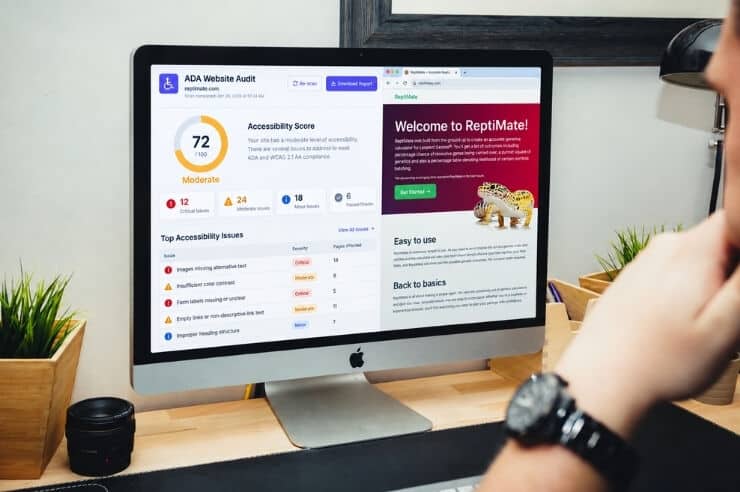
What Is ADA Website Compliance & How to Become Compliant
Maybe it started with a demand letter. Perhaps a vendor warned you that your website isn’t accessible. Either...
Read More
What Are the ADA Website Compliance Requirements in 2026?
Website accessibility lawsuits are still a concern for American businesses. In 2025, federal courts received 3,117 of these...
Read More
ADA Website Accessibility Remediation: What to Expect & How It Works
Many websites that look and work great may still need website accessibility remediation, and most owners don’t find...
Read MoreOur Awards