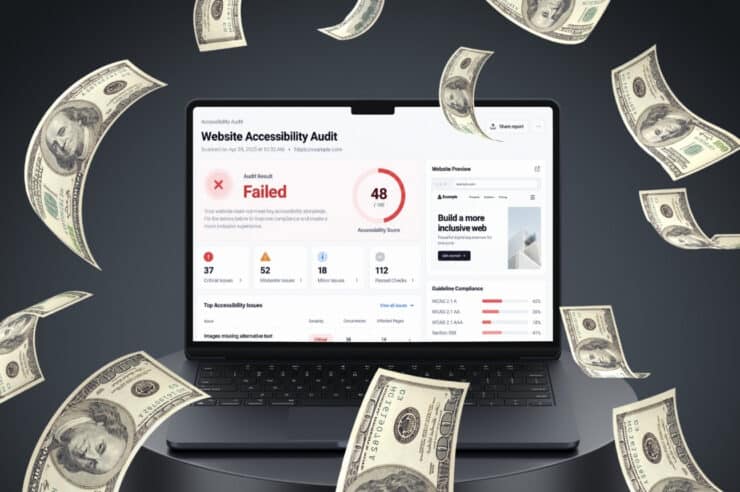
If you’ve started researching website accessibility audits, you’ve probably noticed there’s no one-size-fits-all price. Some websites can be scoped quickly, while others need a closer look before anyone can say what the work involves. No wonder website accessibility audit cost is one of the first things business owners look up once ADA compliance lands on their to-do list.
Several factors can affect what you’ll pay for a website accessibility audit. Your site’s size, features and functionality, and the types of accessibility issues that need review can all play a role. Knowing what goes into an audit can make it easier to understand the cost as you compare options.
How Much Does a Website Accessibility Audit Cost?
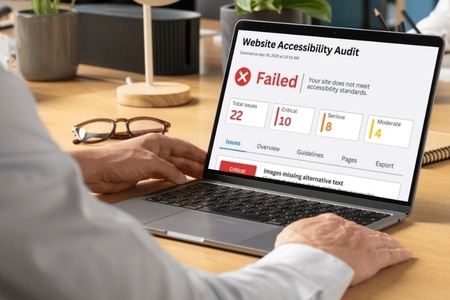
There’s no one-size-fits-all price for a website accessibility audit. The cost depends on how much time an experienced accessibility developer needs to evaluate your site against accessibility standards, which depends on its size, interactivity, and how many issues already exist.
The scope isn’t always obvious from the start. A simple website may be easy to assess, while a site with custom functionality, a customer portal, or ecommerce features may require more planning. An accessibility company may first review the website’s templates and key user journeys to determine what to include in the audit. From there, they can provide a quote based on the scope of the work.
The accessibility audit itself is also just one piece of the budget. Most businesses need remediation to fix what the audit uncovers, plus ongoing website audits to keep the site accessible as it changes. The factors below will help you see where your site might fall and what to plan for.
What Factors Into the Cost of a Website Accessibility Audit
A website accessibility audit is priced mostly on time, meaning how many hours an experienced accessibility developer needs to evaluate your site against accessibility standards. Anything that adds testing time adds cost. Some factors relate to your site itself, like size and complexity, while others depend on your choices, like which WCAG standard to target and which devices to include.
Project Scope and Site Size
The size of a website matters when an accessibility auditor estimates the work involved, but the URL count isn’t necessarily the number of pages they’ll test. A site may have hundreds of pages that use the same layout, while a much smaller site may have several different templates and features that need individual attention.
A website compliance auditor will usually review the site’s different page types and identify the areas that need testing. That might include a few representative content pages along with things like contact forms, account areas, search, or checkout. The more unique templates and visitor interactions there are, the more time the audit can take.
Before paying for an audit, you can also check if your website is ADA compliant yourself. A basic self-check won’t replace a professional audit, but it can give you an idea of where potential problems may already exist.
Site Complexity
Complexity is really about interactivity. Every element a visitor can click, type into, open, or close needs to be tested with a keyboard, a screen reader, and other assistive technology. That’s why interactive elements like sliders, form fields, mega menus, and pop-up modals take extra time to evaluate against WCAG.
Custom features raise the price further. Online booking tools, multi-step forms, customer portals, and ecommerce checkout flows all involve dynamic states, error messages, and focus changes that have to be checked one by one. A brochure-style site with mostly text and images sits at the lower end of the range, while a feature-rich site sits closer to the top.
Current State of Accessibility
The condition of the website can also affect the amount of work involved. An audit may uncover a few isolated problems, or it may find the same issue across multiple templates and pages. When problems are widespread, the auditor has more findings to document and more examples to review.
Common examples include missing alt text, poor color contrast, and unlabeled form fields. If those problems appear throughout the site, they can add to the amount of testing and documentation required. A review of these common website accessibility issues can give you an idea of the types of problems an audit may uncover.
Audit Quality and Depth
The scope of a website accessibility audit can vary depending on what the final report is expected to include. Some audits provide a list of detected issues, while a more detailed review may link each finding to the relevant WCAG success criterion and explain what needs to change.
Additional services can also be included in the scope. These might include testing by accessibility specialists, a second review after the fixes are made, an accessibility statement, or a VPAT.
Before moving forward with a website compliance audit, ask what it includes. Find out what will be tested, what you’ll receive in the report, and whether a person will review the site manually.
WCAG Standard Targeted
The Web Content Accessibility Guidelines (WCAG) come in three conformance levels.
- Level A covers the most basic requirements.
- Level AA builds on those and is the benchmark most organizations aim for.
- Level AAA is the strictest level and rarely required for an entire website.
Level AA is also the benchmark most often referenced when it comes to ADA website compliance, which is why most audits are built around it.
The WCAG version matters as well. Testing against WCAG 2.2 AA means checking more success criteria than WCAG 2.1 AA, so targeting the newer standard can add to the scope and cost of the audit.
Manual Audits vs. Automated Tools
Tools such as WAVE and axe are useful for finding certain accessibility problems, and they can check a page very quickly. They don’t evaluate everything a person would look for during a manual review. One source estimates that automated scans identify only about a quarter of WCAG issues.
For instance, a tool can identify missing alt text, but it can’t determine whether the description actually makes sense for the image. It also won’t fully assess things such as keyboard navigation, focus behavior in a pop-up, or how a screen reader handles an error message. These are some of the reasons website accessibility checkers are generally used alongside manual testing rather than in place of it.
Mobile and Desktop Testing Environments
The website accessibility audit scope can also include specific devices and platforms. Testing a website on desktop differs from testing it on a phone or tablet, especially when the site uses responsive layouts, touch controls, or mobile menus. If an app is part of the project, iOS and Android testing would generally be considered separately.
Since so much traffic now comes from phones, mobile testing is often worth including. Responsive layouts can introduce their own problems, like menus that don’t work with mobile screen readers or buttons too small to tap easily. If your business also has a native app, iOS and Android are typically scoped as separate environments with their own pricing.
Ongoing ADA Compliance Costs

A website accessibility audit shows the state of your website at the time of testing. New pages, products, and features can introduce new accessibility issues, so ongoing maintenance should be part of your budget.
The largest expense after an audit may be fixing the issues it identifies. Depending on the number of problems and how your site is built, website accessibility remediation can range from a relatively small amount of developer work to a larger project.
Once the fixes are made, someone needs to check them. That second review can catch problems that remain after remediation. The website will also change over time. New content, design changes, and added features can create accessibility problems that weren’t there during the original audit.
Costs can go beyond fixing accessibility issues on the site itself. Inaccessible websites can become the subject of legal demand letters or lawsuits, which may bring additional legal expenses and settlement costs. You can read more about these cases in our overview of ADA website compliance lawsuits.
Planning Your Website Accessibility Budget
There isn’t a fixed price for a website accessibility audit. The amount of work depends on the website being reviewed. A small site with a few templates may require less testing than a larger site with custom features, forms, or ecommerce functionality. The type of WCAG review and testing included in the project can also affect the scope.
It’s also worth budgeting for what happens after the audit. You may need website development work to address accessibility issues, followed by another site review. Future updates can create new issues, so accessibility may need attention again as the website changes.
If you’d like an estimate for your website, Oyova can scope an ADA compliance audit and remediation plan based on its pages and functionality. Reach out today to get started.
Disclaimer: The information provided in this blog is for general informational purposes only and is not intended as legal advice. The contents of this blog may not reflect the most current legal standards or interpretations. Please consult with a qualified attorney for specific legal advice regarding ADA compliance or other legal issues. Oyova does not guarantee the accuracy, completeness, or usefulness of any information on this site and is not responsible for any errors, omissions, or results obtained from using this information.
FAQs
The answer depends on the website and what the audit covers. An auditor may need to review multiple page templates, interactive features, forms, and different devices or assistive technologies. Those details determine the amount of testing involved and, in turn, how long the audit takes.
An automated scan uses software to check your site’s code for detectable issues, while a manual audit uses a trained tester working with a keyboard, screen readers, and other assistive technology. Scans are fast and inexpensive but catch only a fraction of WCAG issues. A manual audit evaluates every in-scope success criterion and gives you a far more complete picture.
If you’ve never had your site professionally evaluated, a full WCAG audit is usually the right place to start because it shows you everything that needs attention. Targeted fixes make more sense after an initial audit, when you’re addressing specific issues or testing a newly launched feature.
A website should be reviewed again when significant changes are made to its design, platform, or functionality. Websites that are updated regularly may also benefit from an annual accessibility audit. Automated testing can be used between audits to identify potential problems as they appear.
You’ll receive a report listing each issue, where it appears, which WCAG criterion it fails, and how to fix it. From there, your team or an accessibility partner prioritizes and remediates the issues, then validates the fixes with a retest. Once your site passes, you can publish an accessibility statement and set up a plan for ongoing maintenance.
Related Posts
What Is ADA Website Compliance & How to Become Compliant
Maybe it started with a demand letter. Perhaps a vendor warned you that your website isn’t accessible. Either...
Read More
What Are the ADA Website Compliance Requirements in 2026?
Website accessibility lawsuits are still a concern for American businesses. In 2025, federal courts received 3,117 of these...
Read More
ADA Website Accessibility Remediation: What to Expect & How It Works
Many websites that look and work great may still need website accessibility remediation, and most owners don’t find...
Read MoreOur Awards