
Is my website ADA compliant? If you’re asking, you’re probably worried about whether you’re exposed to a lawsuit, if customers with disabilities are quietly bouncing off your site, or how much time and money fixing it might take once you know. That uncertainty is normal, and it’s better to resolve it on your own terms than after a demand letter forces the question. This article gives you a plain-language read on what ADA compliance means for a website, how to check your own site for common gaps, and a clear next step once you know where you stand.
Before diving into the checklist, it helps to understand why self-checks only tell part of the story, something the team at Oyova works through with businesses at every stage, from a first informal scan to a full remediation project.
What Does It Mean for a Website to Be ADA Compliant?
 An ADA-compliant website is one that people with disabilities can access, navigate, and interact with using assistive technology like screen readers, voice recognition software, or keyboard-only navigation. In practice, that means meeting the Web Content Accessibility Guidelines (WCAG) at the AA level, which courts and regulators use as the technical benchmark when evaluating whether a website is accessible.
For a deeper breakdown of what that standard covers, see our guide to ADA website compliance principles.
Is My Website Required to Be ADA Compliant?
For most businesses that serve the public, yes. The Department of Justice has taken the consistent position that Title III of the ADA applies to businesses open to the public, and courts have extended that to commercial websites even without a single, business-specific technical standard written into law. That’s true whether your business has a physical location or operates online only.
Company size and revenue don’t exempt you either. Being small doesn’t put you outside Title III’s reach. The only real carve-outs are religious organizations and genuinely private clubs, and government sites are handled separately under Title II.
Signs Your Website May Not Be ADA Compliant
With ADA compliance established as a legal requirement for most business websites, the real question is whether your website meets it. If you want to check if your website is ADA compliant before waiting for a complaint to surface, watch for these common red flags:
- Missing or poor alt text on images, so screen readers either skip them or read a meaningless filename
- Low color contrast between text and its background, making content hard to read for users with low vision
- No visible keyboard navigation, so someone tabbing through the page instead of using a mouse can’t tell where they are or gets stuck
- Unlabeled form fields, which leaves screen reader users guessing what information a field is asking for
- Inaccessible PDFs and downloads that aren’t tagged for screen readers, even if the surrounding page looks fine
- Auto-playing video or audio with no way to pause it or view captions
- Pop-ups and modals that trap keyboard focus, preventing a user from tabbing back out to the rest of the page
If two or three of these sound familiar, it’s worth a closer look. Our articles on common ADA compliance issues and top accessibility violations cover each of these in more detail, and our article on ADA website compliance checkers walks through how to run a quick check on your own site.
How to Check If Your Website Is ADA Compliant
There are two ways you can check to see if your website is ADA compliant:
1. Automated Website ADA Tools
Automated website ADA tools like WebAIM’s WAVE, which is free to use, crawl your pages and flag issues such as missing alt text, contrast failures, and empty links. They’re fast and a reasonable first pass, though it’s worth understanding what these scanners actually catch and where they fall short before you rely on one, which is exactly what our article on ADA website compliance checkers covers. Running a scan on your homepage and a few key interior pages will usually surface the most obvious problems within minutes.
2. Manual Website ADA Reviews
A manual website ADA review is a hands-on walkthrough of your website, rather than using software. To do a manual review, you’ll need to navigate your website with only a keyboard, listen to pages through a screen reader like VoiceOver or NVDA, and check whether the layout still holds up when zoomed in. It catches what an automated scan can’t, like whether a screen reader announces things in a logical order or whether keyboard focus is easy to follow, and it more closely reflects how someone using assistive technology actually experiences your site.
Between the two, you’ll get a reasonably good picture of where your website stands when it comes to ADA compliance. What you won’t get is full certainty, and that gap is worth understanding before you decide your site is “good enough.”
What Automated ADA Accessibility Tools Miss
Running an automated accessibility tool is a good place to start, but it doesn’t tell you whether a site actually works for everyone. Deque estimates that automated testing covers only about 20–30% of WCAG success criteria. The rest requires human review.
A few reasons DIY and scanner-only fixes tend to fall short of full compliance:
- Coverage gaps. A scanner can tell you an image is missing alt text, but it can’t tell you whether the alt text you wrote actually describes the image usefully, or whether a decorative image should be marked as such instead.
- Logic issues scanners can’t evaluate. Keyboard traps, illogical tab order, and screen reader announcements that don’t match what’s visually happening on the page all require a person actually using assistive technology to catch.
- Dynamic and interactive content. Things like custom dropdowns, date pickers, and JavaScript-built checkout flows tend to behave differently across assistive technologies, so someone actually has to click and test through them rather than trust that a scan cleared them.
- Partial fixes still carry exposure. Fixing the issues a free scanner flags and stopping there can create a false sense of security. If the remaining, harder-to-catch issues are the ones a plaintiff’s accessibility audit finds, the fact that you addressed the easy ones offers limited protection.
- Ongoing maintenance. A compliant site today can drift out of compliance the next time a marketing team adds a page, embeds a new video, or launches a landing page, without anyone touching the original audit findings.
Self-checks are still worth doing. They just aren’t going to get you to the finish line. If your website plays a role in how customers find you or do business with you, a professional accessibility audit closes the gap a scanner leaves open and gives you documented proof of what was actually tested and fixed.
What Happens If Your Website Isn’t Compliant?
Having a website that isn’t ADA compliant can cost you in more ways than one. For example, customers who can’t use your website will become frustrated and leave. The legal risk is real, too. Seyfarth Shaw’s litigation tracking counted 3,117 federal website accessibility lawsuits in 2025, up 27% from the year before.
It’s also worth noting that the Department of Justice’s 2024 Title II rule, which formally adopted WCAG 2.1 Level AA as the technical standard, applies directly to state and local government websites rather than private businesses. Even so, it reinforces WCAG 2.1 AA as the standard regulators and courts point to across the board, which is exactly why it matters for commercial sites too.
For a closer look at what that exposure can look like in practice, read our posts on ADA non-compliance consequences and whether you can be sued for ADA non-compliance.
How to Fix ADA Compliance Issues
Once you know where your site stands, fixing issues generally happens in three phases:
- Prioritizing the most severe and highest-traffic issues first (typically anything blocking navigation or form submission),
- Applying code-level and content-level fixes, and
- Testing those fixes with real assistive technology rather than just re-running a scanner.
Our guide on what ADA compliance remediation involves walks through that process in more detail.
If you’d rather not manage that process in-house, or you want confidence that the fixes will hold up to scrutiny, Oyova can run a full ADA compliance audit and handle remediation from start to finish, so you’re not left guessing whether the work actually closed the gap.
Where to Go From Here
At this point, you have a real answer to “is my website ADA compliant?” instead of a guess. A free scan and a manual walkthrough catch the obvious problems. The harder ones, the ones most likely to matter if your site is ever challenged, usually take a trained eye to find and fix.
Ready for that certainty? Oyova can run a full accessibility audit, handle the remediation, and leave you with a documented, compliant site instead of a lingering question mark. Contact us today!
Disclaimer: The information provided in this blog is for general informational purposes only and is not intended as legal advice. The contents of this blog may not reflect the most current legal standards or interpretations. Please consult with a qualified attorney for specific legal advice regarding ADA compliance or other legal issues. Oyova does not guarantee the accuracy, completeness, or usefulness of any information on this site and is not responsible for any errors, omissions, or results obtained from using this information.
FAQs
If your business serves the public, courts have generally treated your website as covered under Title III of the ADA, even though there’s no single federal law that spells out a technical standard for private businesses the way the 2024 DOJ rule does for government sites. Practically speaking, most businesses are safer treating WCAG 2.1 Level AA as the working standard.
Start by running a free automated ADA scan on your website. Then do a manual pass yourself. Fix what you find. For compliance, a professional audit is still the most reliable way to catch what that self-check alone will miss.
Yes. Website accessibility lawsuits against private businesses have become common, and UsableNet’s lawsuit tracking shows they’re not limited to large companies, with most sued businesses reporting under $25 million in annual revenue. Demand letters and lawsuits can happen even after a good-faith attempt at fixes, particularly if the underlying issues weren’t fully resolved.
The most reliable way to know is a combination of automated scanning, manual testing with assistive technology, and, for full confidence, a professional accessibility audit. A scan alone can tell you a site has problems; it can’t reliably tell you a site is clean.
It depends on what you’re dealing with. A handful of clear-cut issues are fair game to fix yourself. Forms, checkout flows, dynamic content, or an industry with a history of lawsuits are a different story. That’s where a team running the audit and remediation earns its keep, both in thoroughness and in the paper trail it leaves if your compliance is ever challenged.
Related Posts
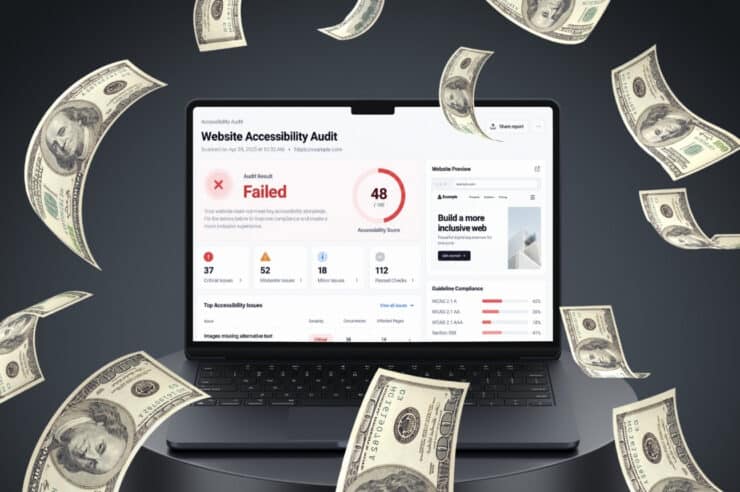
Website Accessibility Audit Cost and What Drives It
If you’ve started researching website accessibility audits, you’ve probably noticed there’s no one-size-fits-all price. Some websites can be...
Read More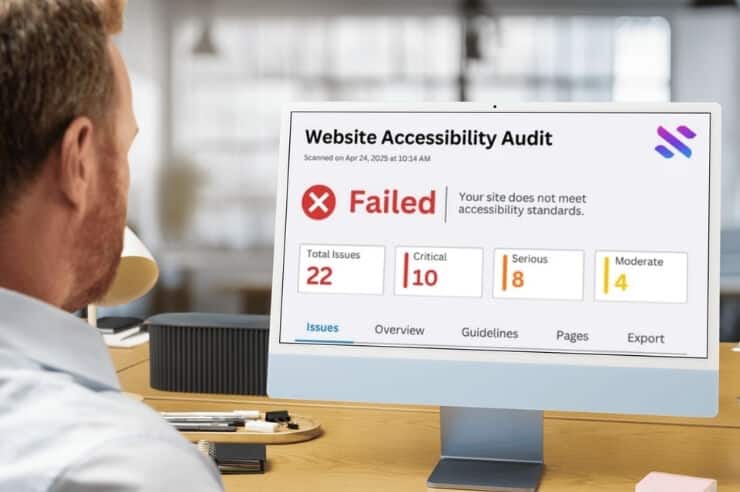
8 Most Common Website Accessibility Issues
Website accessibility issues are easy to miss, especially when your site looks and works fine to you. However,...
Read More
Do Websites Have to Be ADA Compliant?
Do websites have to be ADA compliant? In practice, yes. Courts and the Department of Justice treat business...
Read MoreOur Awards